



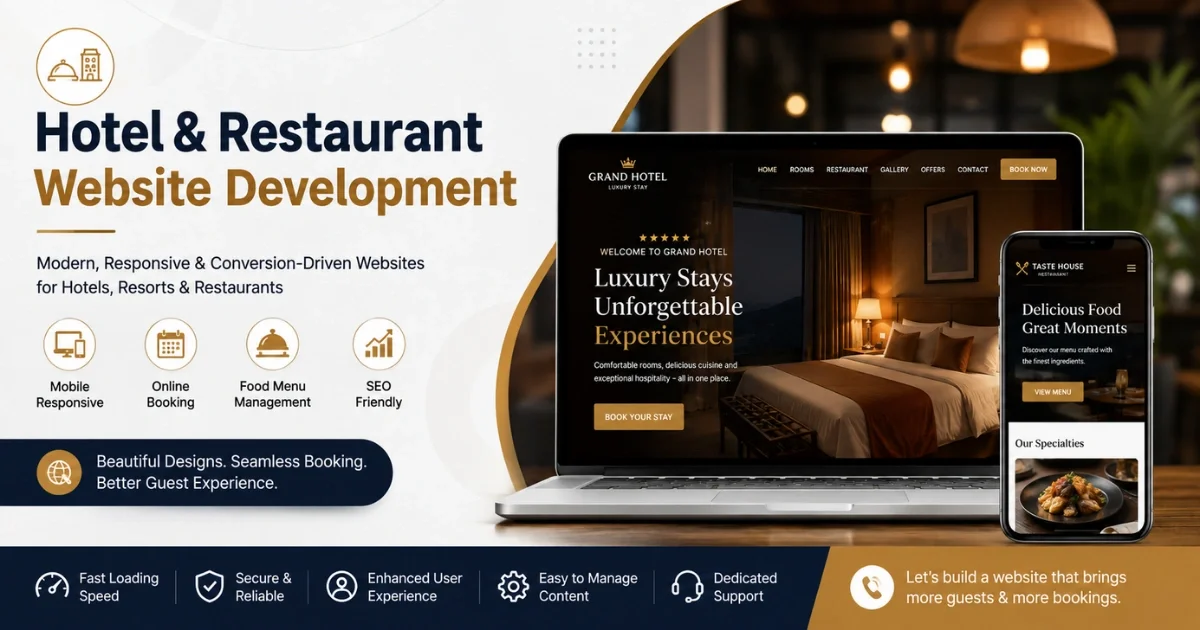
Hotel & Restaurant Website Development: Essential Features, Benefits & Booking Solutions

Running a hotel or restaurant today means competing not just with the property down the street, but with every listing on Booking.com, Zomato, Swiggy, and Google Maps. A well-built website is no longer a "nice to have" — it's the one digital asset a hospitality business fully owns and controls. This guide breaks down what actually goes into a high-performing hotel or restaurant website, what it costs, and how to choose the right development partner.
Why Hotels & Restaurants Need a Professional Website
Most hospitality businesses today rely heavily on third-party platforms — OTAs (Online Travel Agencies) like Booking.com and MakeMyTrip for hotels, and food aggregators like Zomato and Swiggy for restaurants. These platforms bring visibility, but they come at a steep cost:
OTA commissions typically range from 15% to 25% per booking, and some go higher during promotional periods.
Food delivery aggregators often charge 20–30% commission per order, squeezing already-thin restaurant margins.
Businesses have almost no control over how they're displayed, and a single bad review can sit at the top of their listing for months.
Customer data, emails, phone numbers, preferences, stays with the platform, not the business.
A dedicated website flips this equation. It becomes a 24/7 storefront that:
Reduces dependency on commission-heavy platforms by driving direct bookings and direct orders.
Builds a brand identity beyond a generic listing template that looks like every competitor's.
Owns the customer relationship, email lists, phone numbers, and repeat-visit data stay in-house.
Improves credibility, most guests now check a property's own website before finalizing a decision, even if they found it on an OTA first.
Works around the clock, bookings and orders don't stop when the front desk or the kitchen staff goes off shift.
Even a modest 5–10% shift of bookings from OTAs to a direct website can save a mid-sized hotel a meaningful amount in commissions every year — money that would otherwise go to a third party.
Hotel vs Restaurant Website: What Does Each Business Need?
While both fall under "hospitality," the core purpose of each website is different:
A hotel guest is often booking days or weeks in advance and comparing multiple properties, so trust signals (reviews, photos, clear cancellation policy) matter a lot. A restaurant customer is frequently deciding within minutes, so speed, an up-to-date menu, and a frictionless reservation/order flow matter more than long-form content.
Essential Features of a Hotel Website
Room Listings with Real-Time Availability Each room type should show accurate photos, size, bed configuration, amenities, and live availability — not "call to check."
Best Rate Guarantee Messaging Hotels that promise the lowest rate on their own website (matching or beating OTA prices) convert noticeably better, since guests actively compare prices across platforms before booking.
High-Quality Visual Galleries & Virtual Tours Professional photography of rooms, lobby, pool, restaurant, and event spaces. A 360° virtual tour or short video walkthrough increases time-on-page and booking confidence significantly.
Detailed Amenities & Policy Pages Check-in/check-out times, cancellation policy, pet policy, parking, Wi-Fi, breakfast inclusion — guests abandon bookings when this information is missing or buried.
Location & Nearby Attractions An interactive map plus a short guide to nearby landmarks, transport, and attractions helps both SEO and guest decision-making.
Guest Reviews & Ratings Widget Pulling in reviews from Google, TripAdvisor, or Booking.com (with permission/API) builds trust directly on the site instead of sending traffic away to check reviews elsewhere.
Multi-Language & Multi-Currency Support Especially important for properties in tourist-heavy locations that see international guests.
Event & Banquet Hall Pages For hotels hosting weddings, conferences, or corporate events — a dedicated inquiry form with capacity, layout options, and catering packages.
Loyalty Program Integration A visible sign-up or login for a direct loyalty/rewards program encourages repeat direct bookings instead of repeat OTA bookings.
Essential Features of a Restaurant Website
Digital Menu with Categories & Pricing A clean, filterable menu (veg/non-veg, spice level, allergens, price) that's easy to update, ideally without needing a developer every time a dish or price changes.
Online Table Reservation System Time-slot based booking with automatic confirmation via SMS/email/WhatsApp, and the ability to specify party size, occasion, or special requests.
Online Ordering & Delivery Integration A native ordering system (with delivery/pickup options) that doesn't route the customer to a third-party app, keeping commission in-house.
Food Photography & Ambience Gallery High-quality images of signature dishes and interior ambience drive far more engagement than stock photos or low-resolution phone shots.
Real-Time Offers & Combo Deals A section for daily specials, happy hour, or festival menus that can be updated quickly, ideally through a simple admin panel.
Location, Hours & Multiple Branch Support For restaurant chains, a branch locator with individual hours, contact numbers, and menus per outlet.
Customer Reviews & Social Proof Embedded Google/Zomato reviews and Instagram feed integration to show real-time social proof.
Event & Private Dining Booking For restaurants that host birthdays, corporate lunches, or private parties, a dedicated inquiry/booking form.
Must-Have Features for Both Hotel & Restaurant Websites
Regardless of business type, these features are non-negotiable in 2026:
Mobile-First Responsive Design — the majority of hospitality searches and bookings now happen on mobile devices, so the site must load fast and function smoothly on small screens.
Fast Page Load Speed — every additional second of load time increases the chance a visitor leaves before completing a booking; hospitality sites should target under 3 seconds on mobile.
SSL Security (HTTPS) — mandatory for any site processing payments or personal data, and also a Google ranking factor.
Click-to-Call & WhatsApp Chat Buttons — many guests still prefer to confirm details directly before booking.
Contact Forms & Inquiry Management — routed to the right department (reservations, events, management).
Social Media Integration — live Instagram feed, Facebook reviews, and share buttons.
Blog/News Section — useful for SEO and for announcing offers, events, or seasonal menus.
Accessibility Compliance — alt text, readable fonts, keyboard navigation, improves usability and avoids legal risk in several jurisdictions.
Analytics Integration — Google Analytics 4 and heatmap tools (like Hotjar) to understand where visitors drop off.
Hotel & Restaurant Booking Solutions
This is where a hospitality website earns its cost back. Booking systems generally fall into three categories:
1. Third-Party Booking Engine Plug-ins
Ready-made booking widgets (for hotels: engines that connect to a PMS/channel manager; for restaurants: reservation tools) can be embedded into a website quickly. They're faster to launch but come with monthly subscription fees and sometimes per-booking charges.
2. Custom-Built Booking Systems
A tailored booking engine built into the website gives full control over the guest flow, branding, and data — no recurring third-party fees beyond hosting and payment gateway charges. This is more expensive upfront but pays off for larger properties or multi-location businesses over time.
3. Hybrid Approach
Many businesses start with a plug-in booking engine and later move to a custom system once booking volume justifies the investment. This is a practical middle ground for small and mid-sized properties.
Key features any booking solution should include:
Real-time availability sync (no double bookings)
Secure online payment gateway (cards, UPI, net banking, wallets)
Automated confirmation emails/SMS/WhatsApp
Cancellation and refund handling
Deposit or partial payment options for hotels
Waitlist management for restaurants during peak hours
Guest data capture for remarketing (with consent, per data protection norms)
Admin Panel: Managing the Website From One Place
A hospitality website is only as useful as it is easy to manage. A good admin/CMS panel should let hotel or restaurant staff — not just developers — handle daily updates:
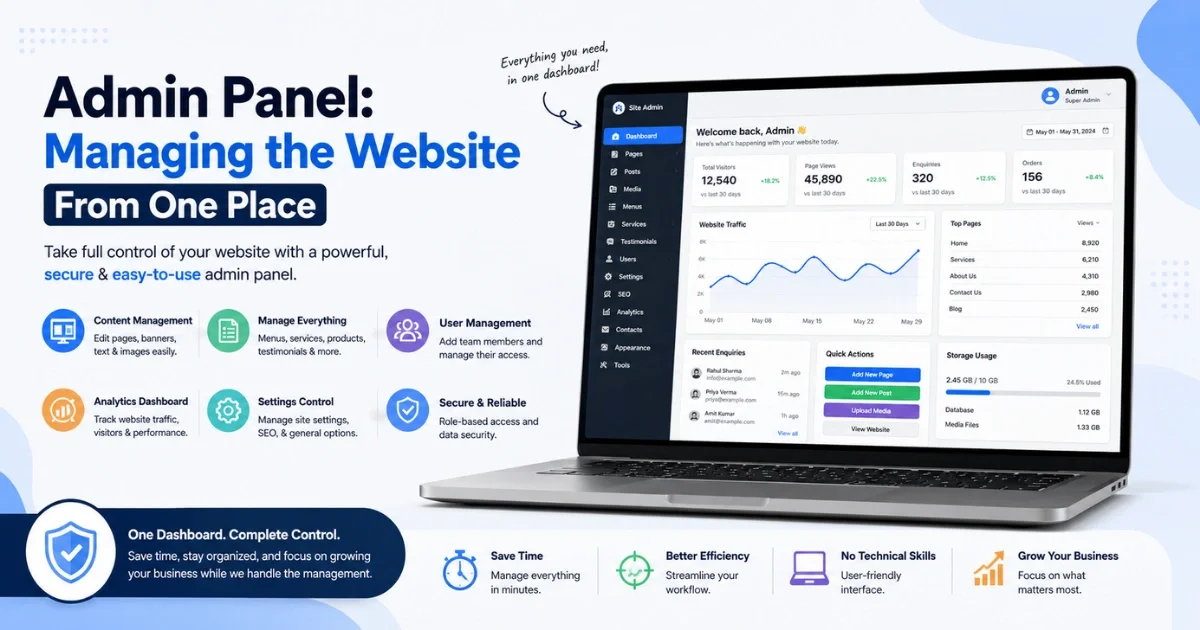
Room/menu management — add, edit, or remove rooms or dishes, update prices and photos
Rate & offer management — seasonal pricing, discount codes, happy-hour deals
Booking/order dashboard — view, confirm, or cancel bookings and orders in one screen
Content updates — edit banners, announcements, and blog posts without code
User roles & permissions — front desk staff, marketing team, and owner can have different access levels
Reports & analytics — booking trends, peak hours, popular rooms/dishes, revenue snapshots
A well-designed admin panel is often the difference between a website that stays fresh and one that goes stale within months because updating it requires calling the developer every time.
Integrations That Make a Hospitality Website More Powerful
PMS (Property Management System) — for hotels, syncing bookings, housekeeping, and billing
Channel Manager — keeps availability and rates consistent across the website and all OTAs simultaneously
POS (Point of Sale) — for restaurants, syncing online orders directly with kitchen and billing systems
Payment Gateways — Razorpay, Stripe, PayU, or region-specific gateways for secure transactions
CRM & Email Marketing — Mailchimp, HubSpot, or custom CRM to nurture leads and past guests
WhatsApp Business API — for booking confirmations, order updates, and customer support
Google Business Profile Sync — keeping hours, photos, and offers consistent across Google Search and Maps
Review Aggregation Tools — pulling reviews from multiple platforms into one widget
Delivery Partner APIs — for restaurants still wanting Swiggy/Zomato listed alongside a direct ordering option
How a Website Helps Increase Direct Bookings & Orders
Lower cost per acquisition — no per-booking commission once the guest books directly.
Retargeting ability — website visitors can be retargeted through ads and email in ways OTA traffic never allows.
Exclusive direct-booking perks — offering a free breakfast, late checkout, or 5% discount for direct bookings gives guests a reason to skip the OTA.
Faster, simpler checkout — a streamlined 2–3 step booking flow reduces abandonment compared to navigating a crowded OTA listing.
Trust-building content — photos, reviews, and clear policies reduce the hesitation that sends guests back to "just check Booking.com to be safe."
Email & SMS remarketing — abandoned booking reminders and post-stay offers bring guests back without paying a platform fee.
Properties that actively push direct-booking incentives on their website often see a measurable, gradual shift in booking mix over 12–18 months — not overnight, but a steady reduction in OTA dependency.
SEO Considerations for Hotel & Restaurant Websites
Local SEO is critical — Google Business Profile optimization, local keywords ("hotels near [landmark]", "best [cuisine] restaurant in [city]"), and NAP (Name, Address, Phone) consistency across directories.
Location-specific landing pages — for multi-branch restaurants or hotel chains, each location needs its own optimized page, not a shared generic page.
Schema markup — Hotel, Restaurant, Menu, Review, and Event schema help search engines display rich results (star ratings, price range, opening hours directly in search results).
Mobile page speed — Google's ranking algorithm weighs mobile performance heavily, and slow sites lose both ranking and bookings.
Fresh content — blog posts about local events, seasonal menus, or travel guides keep the site relevant and give search engines a reason to re-crawl frequently.
Backlinks from travel/food blogs and local directories — listings on TripAdvisor, Zomato, JustDial, and local tourism boards, linking back to the website, build domain authority.
Image optimization — compressed, well-named, alt-tagged images (a heavy photo gallery without optimization is one of the most common reasons hospitality sites load slowly).
AI-Powered Features for Modern Hospitality Websites
AI is moving from "nice experiment" to genuinely useful in hospitality websites:
AI Chatbots — answering FAQs, checking room/table availability, and taking basic bookings 24/7, reducing front-desk/phone load.
Personalized Recommendations — suggesting room upgrades or menu items based on browsing behavior or past visits.
Dynamic Pricing Suggestions — AI-assisted rate recommendations for hotels based on demand, seasonality, and local events.
AI-Generated Content Assistance — drafting menu descriptions, room descriptions, and blog content faster (though these should always be reviewed and personalized by the business, not published as-is).
Sentiment Analysis on Reviews — automatically flagging recurring complaints (e.g., "slow room service," "AC not working") so management can act before it affects the overall rating.
Voice Search Optimization — as more searches happen via voice assistants, content structured around natural questions ("what's the best hotel near [location] with a pool") gains an edge.
AI features are genuinely useful, but they work best as a layer on top of a solid, well-structured website, not as a replacement for good content, clear policies, and fast performance.
Custom vs Template-Based Hotel & Restaurant Websites
A template-based website (built on platforms like WordPress with hospitality themes, or Wix/Squarespace) is a reasonable starting point for a single small hotel or restaurant on a tight budget. Once a business scales to multiple locations, needs deeper booking-engine customization, or wants a genuinely distinct brand experience, custom development becomes the better long-term investment.
How Much Does Hotel & Restaurant Website Development Cost?
Costs vary widely by region, developer experience, and feature complexity, but here's a realistic general range:
Additional costs to budget for separately: professional photography/videography, copywriting, payment gateway transaction fees (typically 1.5–3% per transaction), and third-party booking engine subscription fees if used instead of a fully custom system.
(Note: These are general industry ranges — always get itemized quotes from 2–3 development companies since pricing varies significantly by country, agency size, and feature scope.)
Choosing the Right Website Development Company
When evaluating a development partner, hotel and restaurant owners should look at:
Hospitality-specific experience — ask for past projects in hotels/restaurants specifically, not just general business websites. Booking flows and PMS/POS integrations have unique requirements.
Portfolio & live references — request live links to sites they've built, and if possible, speak to an existing client about post-launch support quality.
Booking/ordering system expertise — confirm they've integrated with common PMS, channel managers, or POS systems relevant to your region.
Post-launch support terms — get clarity in writing on what's included after launch (bug fixes, content updates, security patches) versus what's billed separately.
SEO & performance approach — ask specifically how they handle page speed optimization and local SEO, not just "we do SEO."
Ownership of assets — confirm you'll own the domain, hosting account, source code, and CMS access — not the agency holding it hostage.
Transparent, itemized pricing — avoid vague lump-sum quotes; ask for a breakdown of design, development, integrations, and maintenance.
Timeline realism — be cautious of unusually fast timelines for complex booking-engine projects; rushed integrations often cause bugs at launch.
Conclusion
A professional website is one of the highest-leverage investments a hotel or restaurant can make. It reduces long-term dependency on commission-heavy OTAs and delivery aggregators, builds a direct relationship with guests, and creates a controllable, brand-consistent experience that third-party listings simply can't offer. Whether starting with a template-based site or investing in a fully custom platform with AI-powered features and deep PMS/POS integration, the goal remains the same: make it effortless for a guest to choose booking or ordering directly — and give them a genuine reason to do so.